MyLeafy: A Timetable-Centered Campus iOS App
MyLeafy is a campus iOS app I built independently, currently focused on Beijing Forestry University. It starts with the timetable and brings grades, exams, degree requirements, empty classrooms, learning records, campus community, a personal journal, and timetable sharing into one native client. I built the iOS app, Supabase backend, public website, and operations console, and the product now serves more than 5,000 users.
The repository, Xcode target, and some historical types still use leafy or Leafy; the public product name is MyLeafy. The project now has campus capability configuration: Beijing Forestry University has the complete academic integration and the main community services, while other campuses only see the capabilities they explicitly support.
Project links: GitHub repository · documentation · product overview · app design · architecture · UI guidelines · Supabase integration · operations console
Product Structure
The current root navigation has five tabs:
| Tab | Main responsibilities |
|---|---|
| Timetable | An academic-year timetable, course details, notes, reminders, exams and schedules, backgrounds, sharing, and widgets |
| Community | Posts, media and attachments, comments, likes, bookmarks, polls, notifications, announcements, reporting, and blocking |
| Journal | Local notes, personal schedules, and push, stored on-device by campus identity |
| Campus | Academic records, study arrangements, learning spaces, sports, careers, postgraduate information, and ratings |
| Profile | Community profile, personal content, shared timetables, appearance, display settings, data, support, and logout |
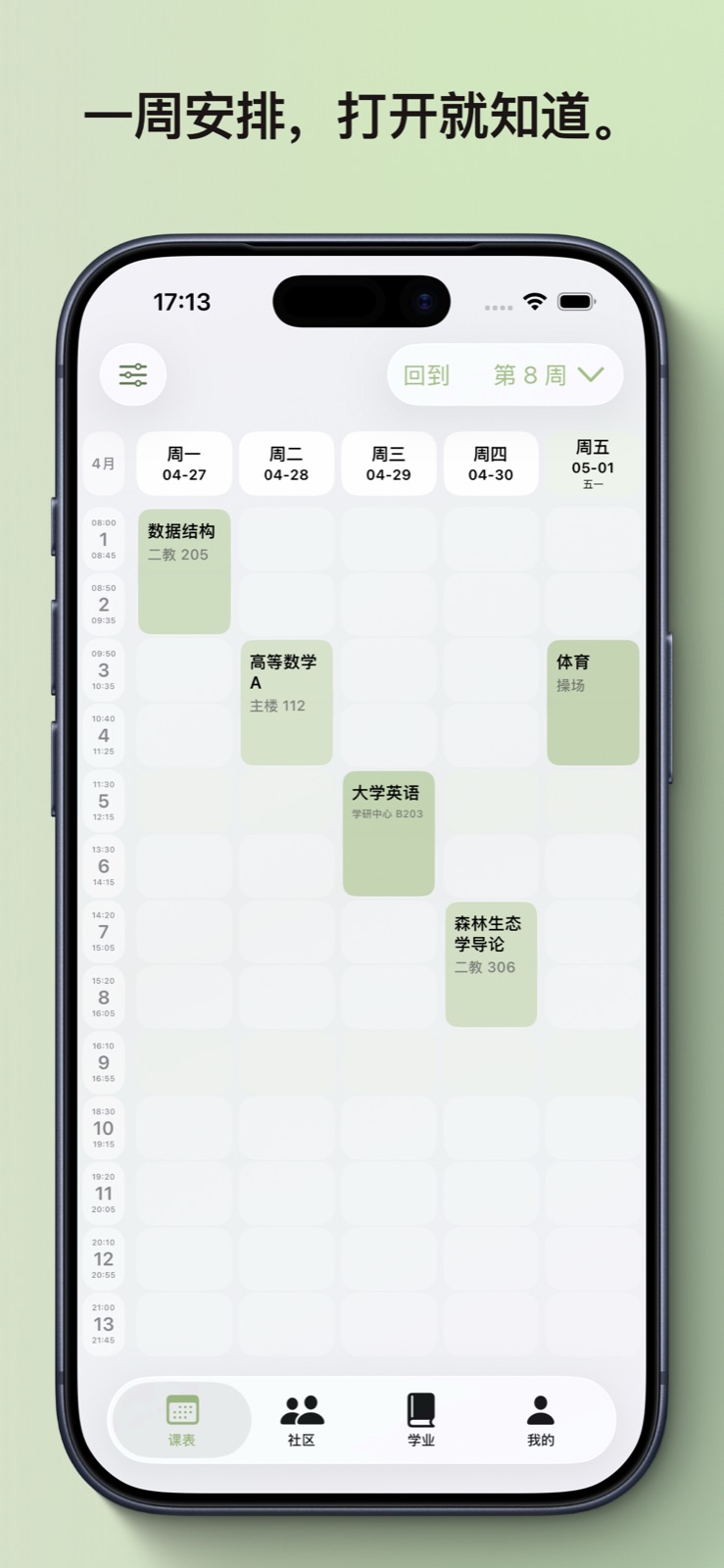
The timetable is the highest-frequency entry point. Students can confirm the next class and location immediately, then move into grades, exams, rooms, or learning records. The Journal tab exposes notes, schedules, and push at its top, while the Campus tab groups expanding tools by domain so the root navigation stays stable.
Data Boundaries
MyLeafy connects three distinct data environments:
| Data | Source and handling |
|---|---|
| Timetables, grades, exams, teaching plans, degree requirements, and rooms | Read from the Beijing Forestry University academic system after login and cached locally |
| Course notes, reminders, learning materials, tasks, notes, personal schedules, and other personal records | Stored in SwiftData or the app's private files by default; notes and schedules are isolated by campus identity |
| Community content, notifications, announcements, sharing permissions, ratings, and runtime configuration | Stored in Supabase and protected by sessions, row-level security, campus scope, and ownership |
The university system remains authoritative for academic data. MyLeafy keeps the latest successful local copy so students can still read it when the university service is temporarily unavailable. Multi-user or cross-device data enters the remote backend only when required, and timetable sharing contains only fields the user explicitly publishes.
Timetable and Time
The Beijing Forestry University academic system exposes HTML pages rather than a stable API. MyLeafy uses URLSession, explicit cookie management, and SwiftSoup for access and parsing, with WKWebView available when the browser path must be reproduced.
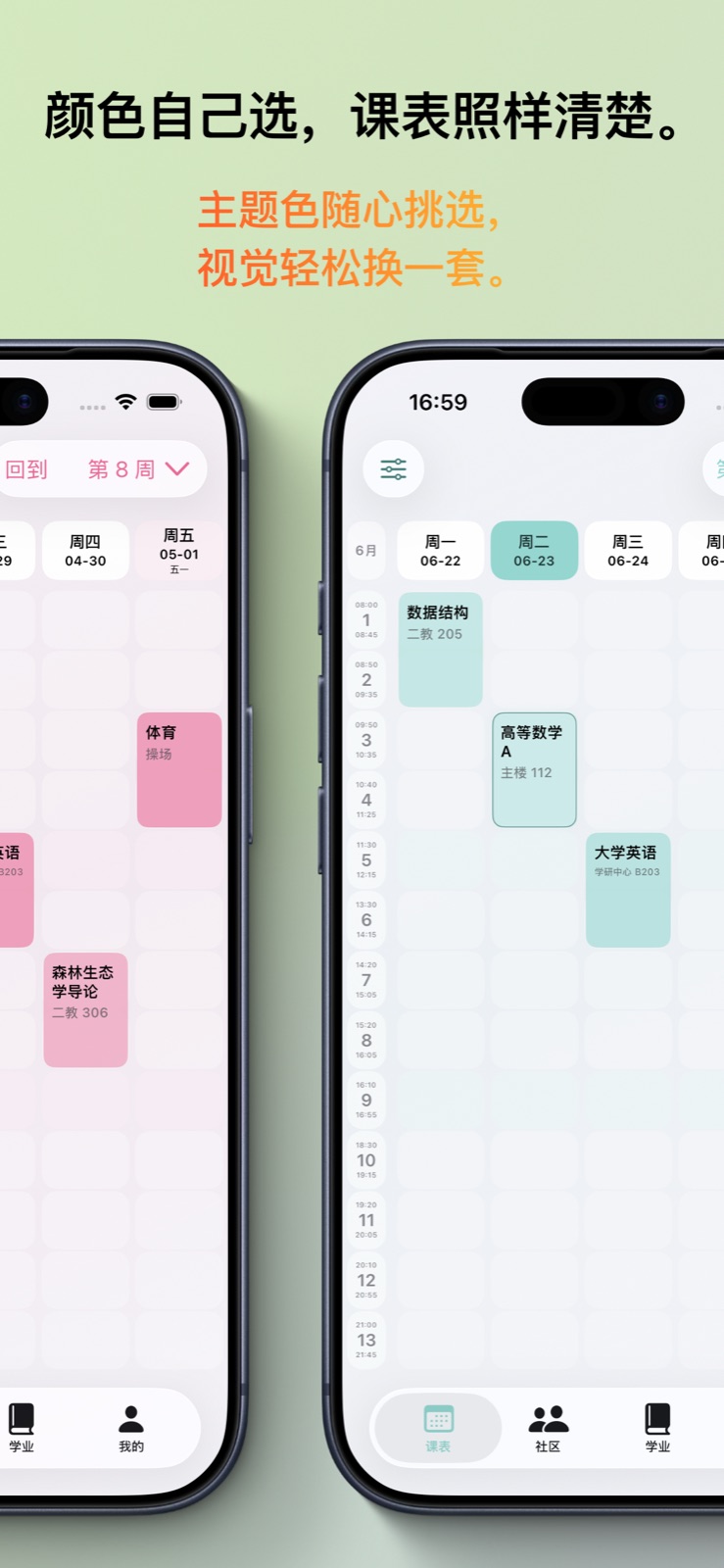
The timetable is viewed as a single academic year, from the first day of the autumn semester to the day before the next academic year starts. Each school response is still stored as a 20-week semester dataset, and actual course occurrences come entirely from the university response. Runtime configuration supplies semester query parameters, the first-week date, and a semantic semester timeline, so an ordinary semester rollover does not require an App Store release. The first week of the 2026-2027-1 academic year is September 7, and the runtime configuration is already in place. The interface supports week switching, overlapping courses, course notes, reminders, exam and personal-schedule projection, a yearly view, photo or solid-color backgrounds, widgets, and deep links.
Custom schedules inside the current academic year project into the timetable; dates outside it appear as countdowns. Exams and important dates generate reminders through explicit rules, keeping these tasks connected to the same familiar time interface.
Course layout and time overlays are precomputed into immutable display snapshots. This design came from a real iPhone performance and SwiftData lifecycle investigation, and it creates a clearer boundary between data calculation, persistence, and SwiftUI rendering.
Journal: Notes and Schedules
Journal is a dedicated root tab with notes, schedules, and push at its top. Notes are on-device card records with full-text search, tag filtering, images, and voice transcription; #tags in the text build an index automatically. The composer expands on focus and lets long text be edited at a larger size. Notes can be turned into personal schedules, and school courses, exams, and the calendar never enter the notes or personal-schedule lists.
A Record section groups daily journaling and daily review. The yearly view shows monthly note counts and active days, with a trailing-30-day heat map, streaks, weekday and time-of-day habits, frequent tags, and milestones; tapping a heat-map date opens that day's notes. Statistics images are generated on-device and shared through the system sheet, containing aggregate numbers only and never uploaded.
Notes, images, reviews, and statistics live only in the current campus identity's local space. They never enter the community, widgets, calendar exports, or timetable share images.
Campus and Learning
The Campus tab organizes student tasks by domain with a horizontally scrollable primary-area navigation:
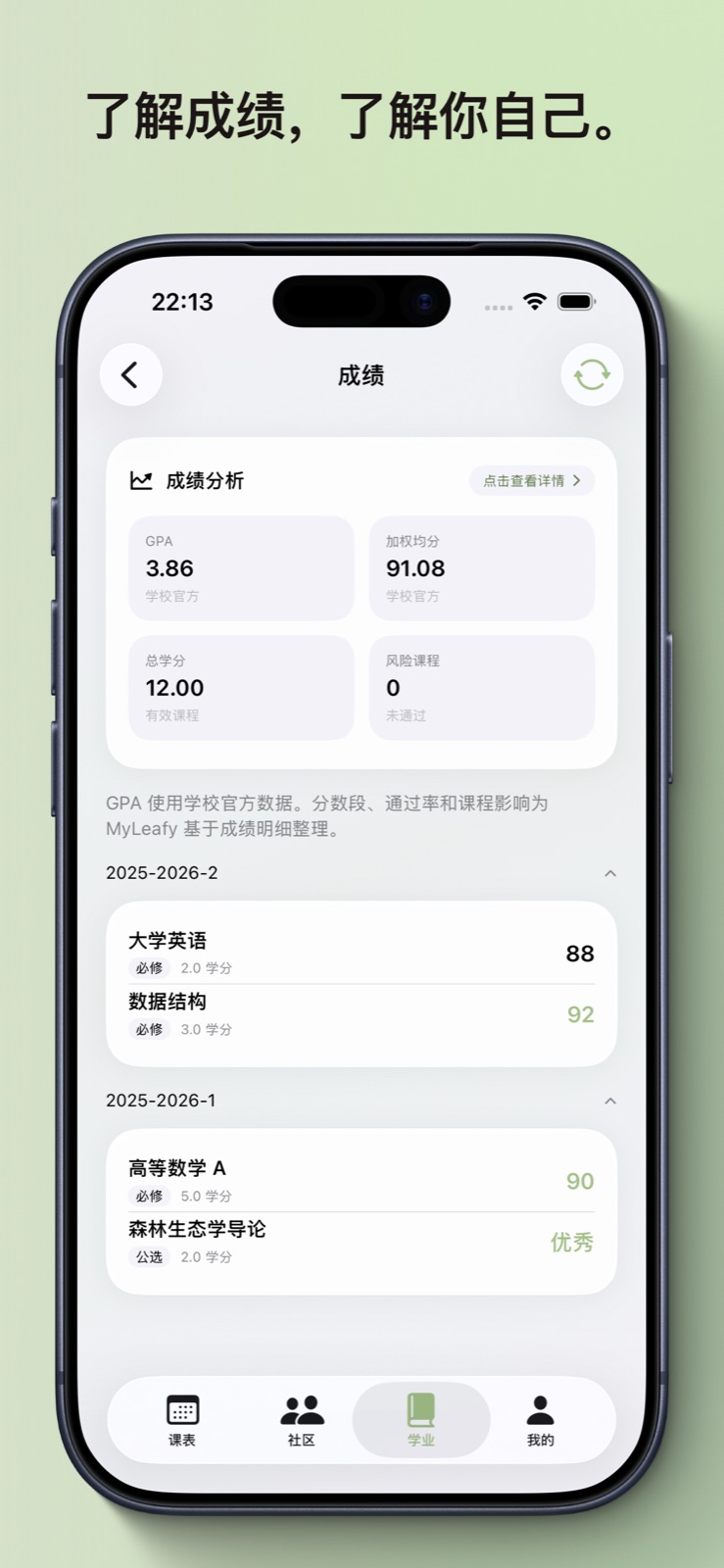
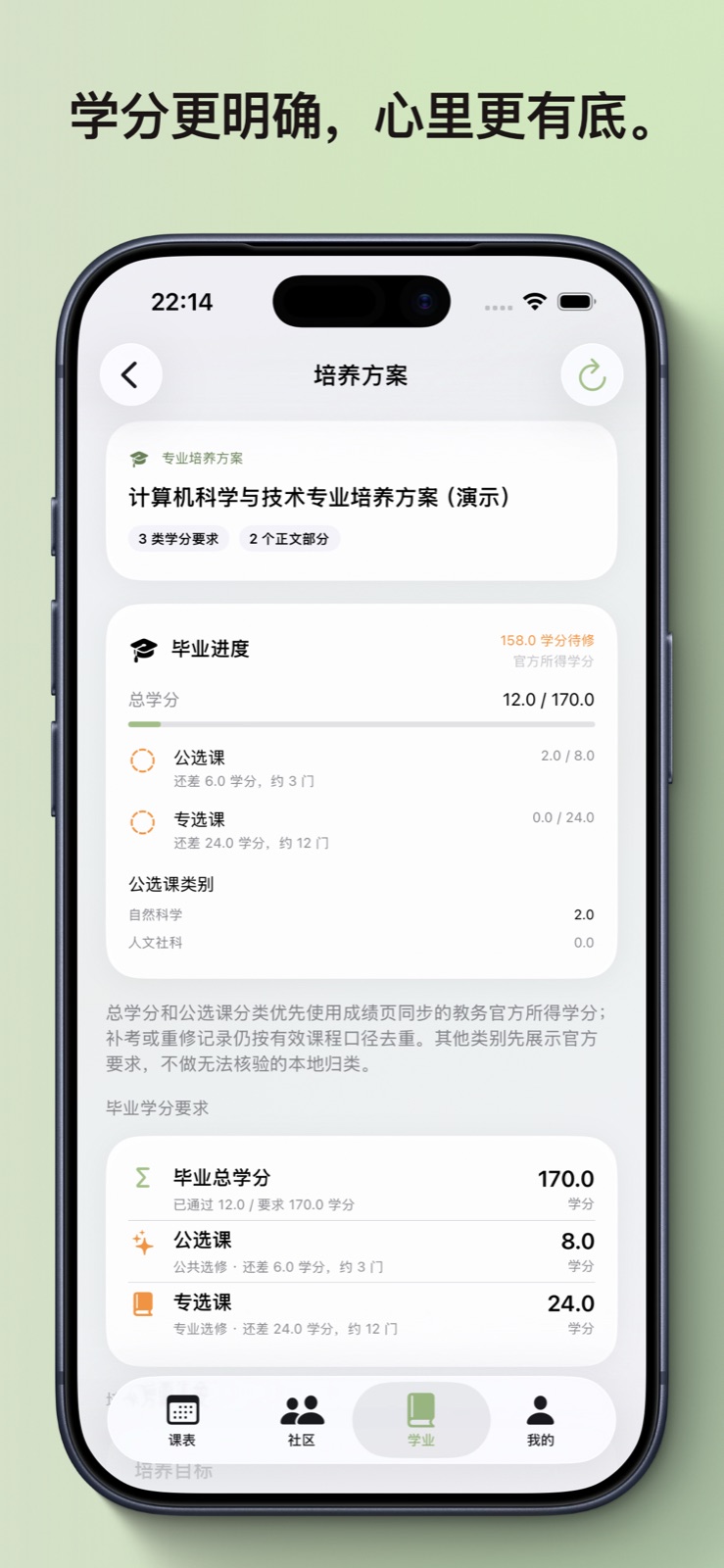
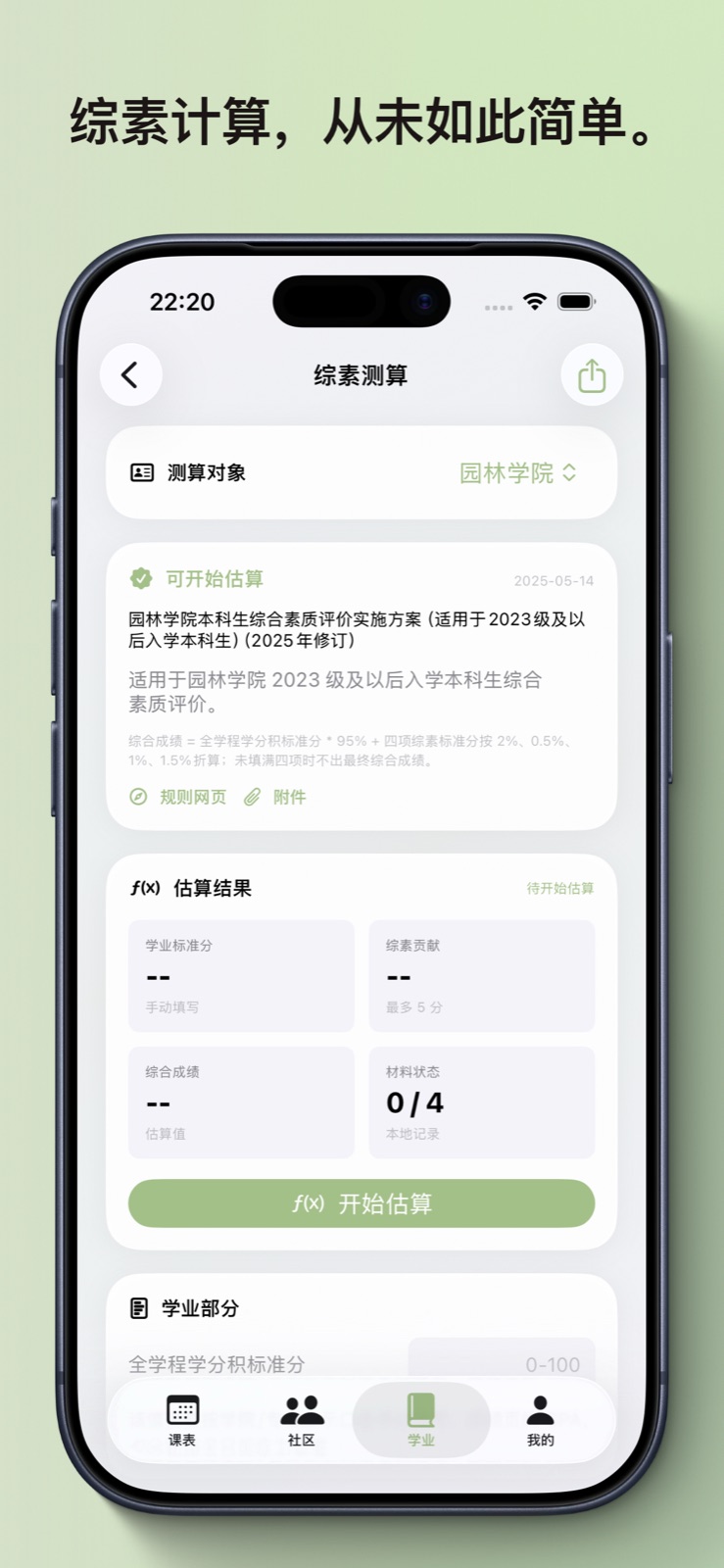
- Academic records: grades, analysis, exams, calendar, honors, comprehensive evaluation, teaching plans, and degree requirements.
- Study arrangements: library seat booking, an on-demand campus heat map, and free-room search as an internal tool, with query and occupancy views by building, date, and period.
- Learning spaces: materials, tasks, and focus records organized around study projects, with time, location, and notes per focus session.
- Sports: running records, fitness-test records, and venues.
- Careers: resume management, job or graduate-school tasks, and saved links.
- Postgraduate information: goal management plus traceable sources such as admission brochures, catalogs, and cutoff lines.
- Ratings: structured reviews of teachers, courses, and dishes, with stars centered in details.
- Campus extensions: medical matters, weekend outings, and other campus-specific tools.
Capability configuration hides domains a campus cannot support. Beijing Forestry University has the complete academic integration and the main community services, while custom campuses can still use selected local learning and scheduling tools. Campus banners, entry state, and campus content can be delivered through the operations system without a client release.
Community and Sharing
The community runs on Supabase, with university identity and the community session managed separately. The same academic identity can inherit its community profile and content across devices.
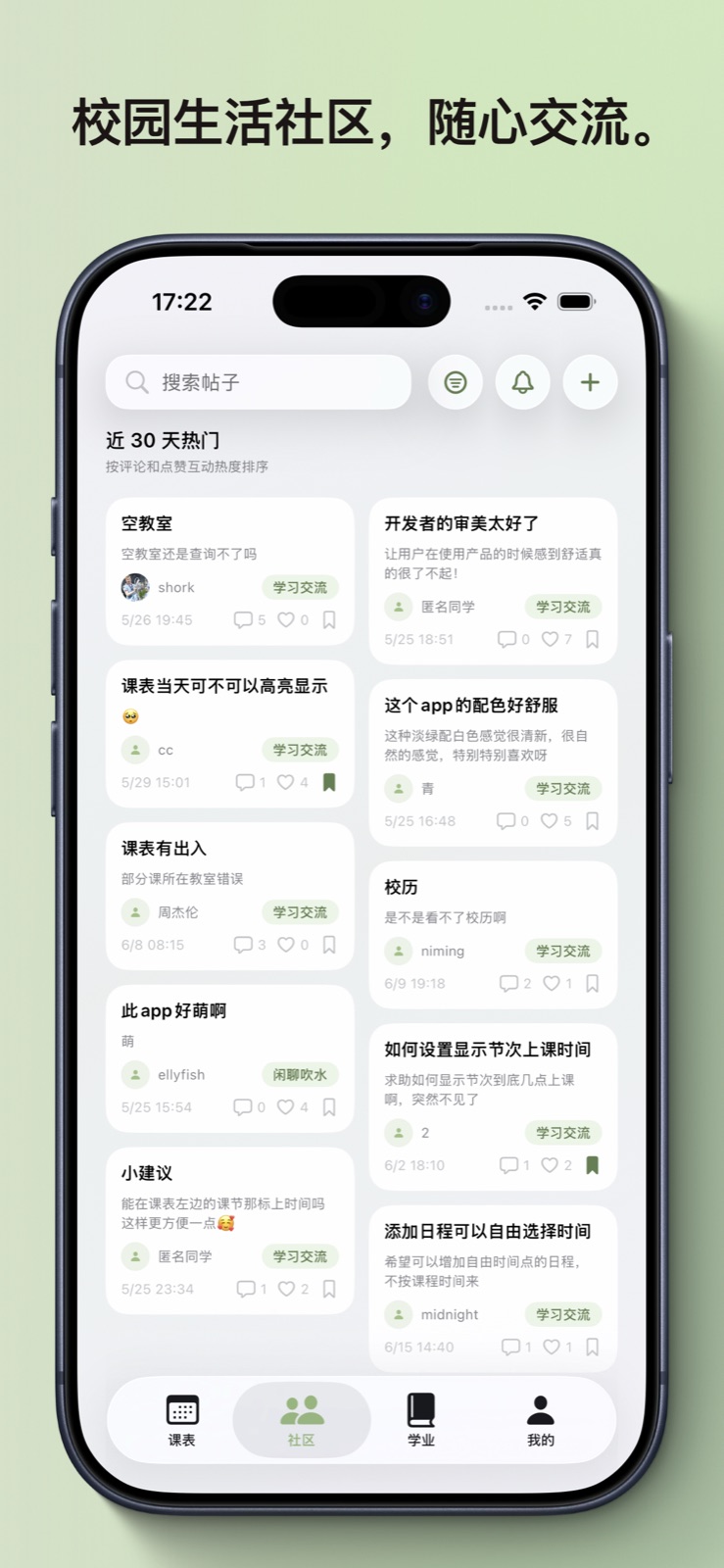
The feed supports category filtering, a 7-day trending view, and global and category pinning. Posts support text, up to four images, up to two PDF, XLSX, DOCX, or Markdown attachments, and anonymous publishing. Ordinary-post drafts are stored locally per account. Compression, type checks, and upload validation complete before publication becomes visible. Share-card JPEGs are generated on device and the share flow does not upload additional user content.
Comments are limited to two levels and notifications update through Realtime. Reports enter an operations workflow, while blocking removes the corresponding user's posts, comments, and notifications from the current account. The operations console also manages announcements, campus banners, moderation, catalog data, roles, and audit trails. Community services also provide polls and search by content type, and the contact email is used only for service issues and important notices.
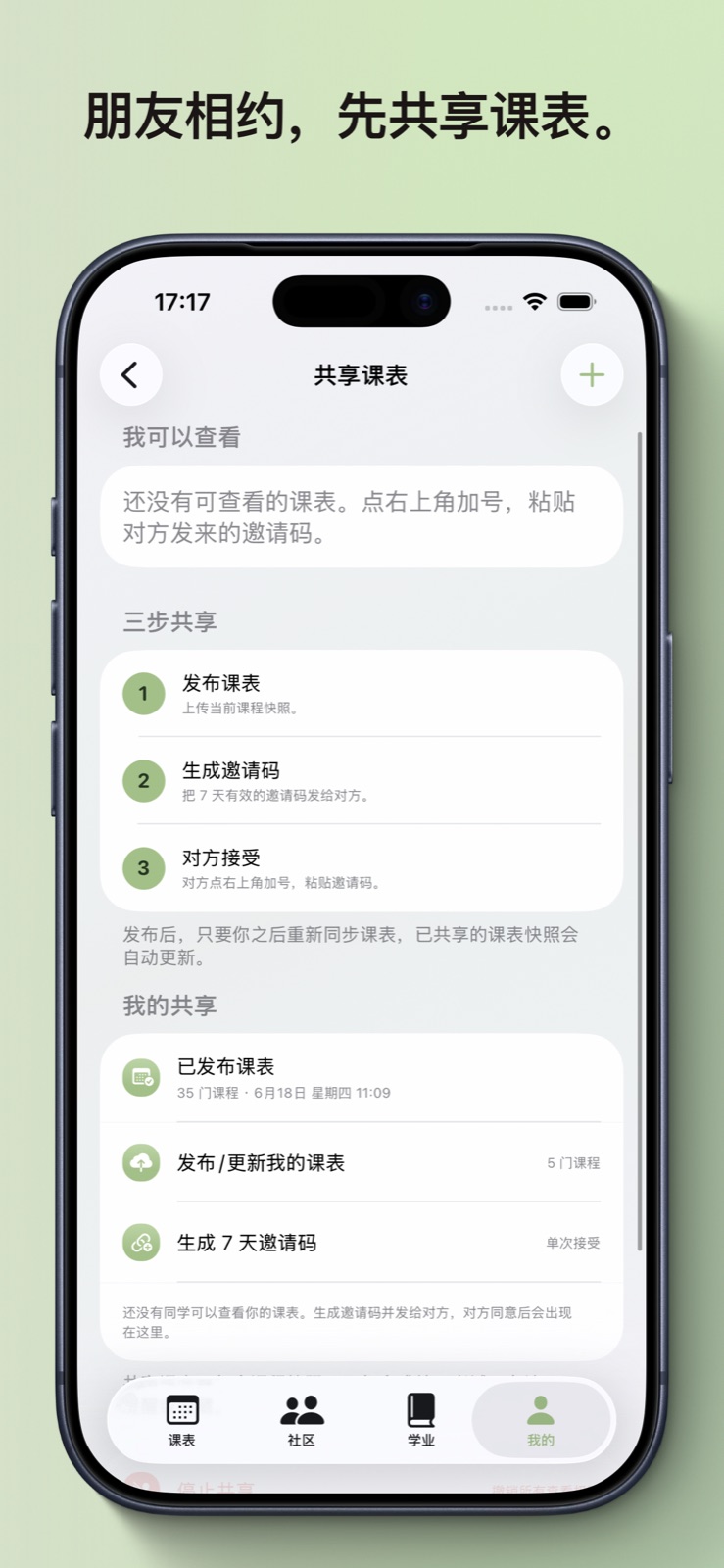
Timetable sharing uses one-time invitations and read-only authorization. Users control publication and revocation; grades, notes, and reminders are excluded.
MyLeafy AI
The MyLeafy AI client, backend, and product configuration remain in the project, but there is currently no public entry. The public release focuses on free features, stability, and review compliance; the AI entry can return after the feature, quota verification, and review flow are stable.
Design and Architecture
MyLeafy is built with SwiftUI and supports iOS 17 and later. All supported versions use the native TabView; iOS 26 naturally adopts the system Liquid Glass appearance behind availability checks. The timetable supports light and dark appearance, theme colors, display density, photo backgrounds, and solid colors. Personal backgrounds stay on device and are excluded from share images and widgets.
| Area | Technology |
|---|---|
| iOS UI | SwiftUI |
| Local persistence | SwiftData, Keychain, app-private files |
| Academic networking and parsing | URLSession, HTTPCookieStorage, WKWebView, SwiftSoup |
| System services | WeatherKit, WidgetKit |
| Product backend | Supabase Auth, PostgreSQL, Storage, Realtime, Edge Functions |
| Operations console | React 18, React-admin 5, MUI, ECharts, Vite, TypeScript |
| Edge proxy | Cloudflare Pages Functions |
| Automated checks | GitHub Actions, Vitest, Playwright, XCTest |
The client separates Presentation, Application, Domain, and Data responsibilities. University data, local user data, and MyLeafy cloud data each keep a distinct source of authority. Cross-user, privileged, and administrative operations pass through server-side authentication, validation, and auditing. The web console reaches management capabilities through Cloudflare Pages Functions, with privileged sessions held in HttpOnly cookies and server credentials kept outside browser JavaScript.
Current Focus
The project now spans an iOS client, a Supabase backend, and a web operations system. Current work prioritizes academic-parser resilience and recovery, consistent campus data-adapter protocols and capability configuration, tighter links between study arrangements, learning spaces, timetables, and schedules, and stronger boundaries around identity, sharing, exports, and administration.
MyLeafy has taken me through the complete path from data source and client UI to backend authorization, operations tools, and App Store review. Many architectural decisions came from production failures: changing university pages led to multi-path parsing, timetable performance and crashes led to immutable display snapshots, and community growth led to upload validation, explicit permissions, and audit trails. That experience has been more valuable than building any isolated screen.
Comments